Can You Permanently Shut Off All Crap in a 2024 Mazda CX 5
Yes, you can permanently shut off most of the annoying features in your 2024 Mazda CX-5. From disabling constant alert pop-ups to turning off unnecessary notifications, the Mazda CX-5 gives you more control than you might think. This guide walks you through every setting, menu, and trick to customize your CX-5 experience and finally get rid of the distractions.
Let’s be honest. Your 2024 Mazda CX-5 is a great SUV. It drives well, looks sharp, and gets decent fuel economy. But somewhere between the factory floor and your driveway, Mazda packed it full of alerts, notifications, and features that feel more like noise than help. You know the ones. The constant seatbelt chimes. The “door ajar” warning that won’t quit. The screen popping up with suggestions you never asked for. If you have been searching for a way to permanently shut off all the crap in your 2024 Mazda CX-5, you are in the right place.
This guide is built for real people who just want a quiet, clean driving experience. We will walk through every setting, menu, and trick that can help you disable the annoying features in your Mazda CX-5. Some changes are simple. Some require a few extra steps. And yes, a few things Mazda built in as safety features cannot be fully turned off. But by the end of this article, you will know exactly what you can control and how to take back your dashboard.
Whether you just bought your CX-5 or have been driving one for years, the 2024 Mazda CX-5 customization options are more powerful than most owners realize. Let us dig in and show you how to use them.
Key Takeaways
- Most alerts and notifications in the 2024 Mazda CX-5 are customizable: You have more control than factory settings suggest.
- The infotainment settings menu is your main tool: It lets you adjust warnings, alerts, and display preferences with ease.
- Some features cannot be fully disabled: Safety-related alerts like forward collision warnings have limited shut-off options.
- Driver profiles let you save preferences: You can set up a personalized driving experience that sticks.
- Common mistakes block the process: Skipping firmware updates or missing hidden menus can leave annoying features active.
- Third-party accessories can help: Some aftermarket tools give you extra control over dashboard alerts.
- Start with the basics and work deeper: Begin with simple settings before diving into advanced customization.
📑 Table of Contents
- Understanding What “Crap” Means in Your 2024 Mazda CX-5
- Step-by-Step Guide to Shutting Off Unwanted Features
- Permanently Disabling Specific Mazda CX-5 Alerts
- Customizing Your 2024 Mazda CX-5 Experience
- Expert Tips and Common Mistakes
- Can You Really Shut Off Everything? An Honest Assessment
- Final Thoughts
Understanding What “Crap” Means in Your 2024 Mazda CX-5
Before we jump into the how-to, let us name the things that bother you. When Mazda CX-5 owners talk about wanting to shut off all the annoying stuff, they usually mean one of these categories.
The Constant Alerts and Warnings
Your CX-5 has a lot of sensors. That is a good thing for safety. But some of those sensors trigger warnings that feel excessive. The low fuel light comes on too early. The tire pressure monitor beeps for tiny fluctuations. The seatbelt reminder chimes even when you are just stepping out to grab a quick errand. These alerts are designed to keep you safe, but after a while, they become background noise you want gone.
The Infotainment Notifications
The Mazda Connect infotainment system is decent. But it loves to show you things. Phone notifications pop up on the screen. Navigation suggestions appear when you did not ask for them. The system also pushes software update reminders and news headlines. If you have ever felt like your dashboard is trying to compete for your attention, you are not alone.
The Annoying Startup and Shutdown Behaviors
Every time you turn the key (or push the start button), your CX-5 runs through a checklist. Lights flash. The screen lights up with the Mazda logo and a bunch of status icons. Some owners find this startup sequence unnecessary, especially if you are just hopping in for a quick drive to the store.
Step-by-Step Guide to Shutting Off Unwanted Features
Now let us get practical. Here is how you actually permanently shut off the annoying features in your 2024 Mazda CX-5. We will go section by section so nothing gets missed.
Using the Infotainment Settings Menu
The Mazda Connect system is the brain of your CX-5’s dashboard experience. To access the main settings, press the “Settings” button on the infotainment screen. From there, you will see several categories that control what appears on your display.
Here is what to look for:
- Notification Settings: This is where you control which alerts appear on the screen. You can turn off pop-up notifications for incoming phone calls, text messages, and app alerts.
- Display Settings: Adjust screen brightness, timeout duration, and what information shows on the home screen. Reducing screen activity can make the whole experience feel calmer.
- Sound Settings: Control alert tones, chimes, and warning sounds. You can lower volume or mute specific alert categories entirely.
- My Mazda App Settings: If you use the My Mazda connected services, you can adjust what notifications your phone receives from the vehicle.
Navigating the Driver Information Settings
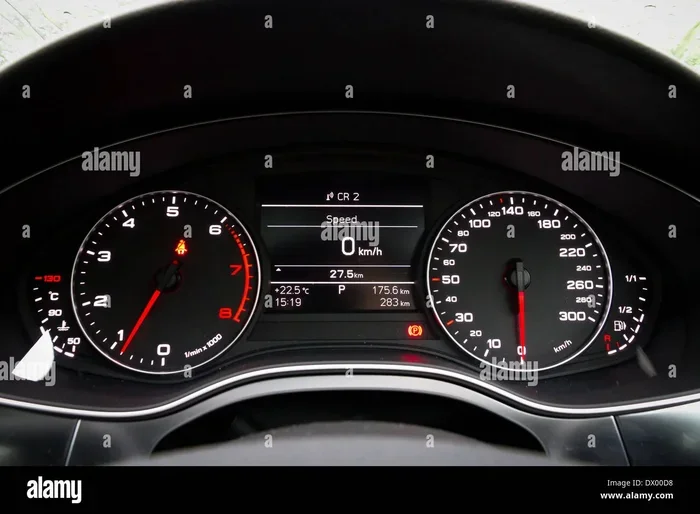
On the instrument cluster behind your steering wheel, you will find a set of buttons that let you control what information displays. Press the “Info” or “Settings” button on the steering wheel controls to cycle through options.
Here you can:
- Adjust warning sensitivity: Some alerts like low fuel warnings can be set to trigger later, giving you more range before the chime starts.
- Turn off specific display items: You can hide certain icons and data points from the instrument cluster display.
- Set default views: Choose what screen appears when you start the car, so you are not greeted by a full dashboard of alerts every time.
Permanently Disabling Specific Mazda CX-5 Alerts
Not all alerts are created equal. Some you can fully disable. Others are restricted by Mazda’s safety systems. Here is a breakdown of the most common complaints and what you can do about them.
Seatbelt and Door Ajar Warnings
The seatbelt chime is probably the most universally annoying feature in any car. In the 2024 Mazda CX-5, you have limited options here. The seatbelt warning is a legal safety requirement in most states, so it cannot be fully disabled. However, you can reduce the duration of the chime by buckling the seatbelt promptly. For the door ajar warning, make sure all doors and the liftgate are fully latched. Sometimes a dirty or misaligned latch sensor causes false warnings that feel like they are “on” all the time.
Low Fuel and Maintenance Reminders
The low fuel warning is one alert you can work with. In the Mazda CX-5 settings menu, you can adjust when the low fuel warning triggers. Setting it to a higher threshold means fewer annoying chimes. For maintenance reminders, you can reset the service interval indicator after each oil change. Some owners also use the Mazda Connect app to manage service schedules digitally, which reduces dashboard clutter.
Navigation and Phone Notifications
If you do not use the built-in navigation, you can turn it off entirely. Go to Settings > Navigation > and disable the system. This stops the map from loading on startup and removes navigation-related alerts. For phone notifications, you can pair your phone in “Do Not Disturb” mode, which silences incoming calls and texts while the car is in motion.
Auto Start-Stop Annoyances
The engine auto start-stop feature can feel intrusive, especially in traffic. While you cannot permanently disable this feature without aftermarket modification, you can turn it off each time you start the car. Press the “Auto Start-Stop Off” button on the dashboard. The system will remember your preference for the current drive but resets when you restart the engine.
Customizing Your 2024 Mazda CX-5 Experience
Beyond just shutting things off, the 2024 Mazda CX-5 offers some genuine customization options that can transform how your dashboard feels. These features help you build a personalized CX-5 driving experience that matches your preferences.
Setting Up Driver Profiles
The Mazda CX-5 supports multiple driver profiles. This means you can save your preferred settings, including mirror positions, seat height, climate control, and audio preferences. When you switch profiles, the car adjusts to your liking. More importantly, you can set different notification preferences for each profile, so your driving experience stays clean and tailored.
To set up a driver profile:
- Go to Settings > Driver Profiles.
- Select “Create New Profile.”
- Customize your display, sound, and alert preferences.
- Save and assign the profile to your key fob.
Using the Mazda Connect App for Remote Control
The My Mazda app lets you control certain features remotely. You can check tire pressure, lock doors, and manage notification settings from your phone. This is especially useful if you want to pre-adjust your CX-5 settings before you even get in the car. The app also receives firmware updates that sometimes add new customization options, so keep it updated.
Adjusting the Instrument Cluster Display
The 2024 Mazda CX-5 comes with a configurable instrument cluster. You can choose between different display themes, information layouts, and color schemes. Switching to a minimalist display theme reduces visual clutter and makes the dashboard feel less busy. This small change can make a big difference in how clean and calm your driving experience feels.
Expert Tips and Common Mistakes
Quick Tips for a Cleaner Dashboard
- Update your firmware regularly: Mazda releases software updates that sometimes add new customization options or fix bugs with alert behavior.
- Use the “Silent Mode” trick: Some CX-5 models allow you to mute all non-critical alerts through a hidden settings menu. Check your owner’s manual for the specific button combination.
- Clean your door and hood sensors: Dirt and debris on latch sensors cause false warnings that feel like permanent alerts.
- Turn off the welcome lights: These interior lights that stay on after you exit can be disabled in the lighting settings.
- Use steering wheel controls wisely: The scroll wheel and buttons on the steering wheel give you quick access to settings without touching the screen.
Common Mistakes That Keep Annoying Features Active
Many CX-5 owners think they have turned off an annoying feature, but it keeps coming back. Here is what usually goes wrong.
- Not saving your settings: Always confirm that you have saved changes before exiting the settings menu. Unsaved changes revert to default.
- Ignoring the owner’s manual: Mazda buries some customization options deep in the manual. The digital version on the Mazda website is searchable and much easier to navigate.
- Skipping firmware updates: Older firmware versions may not support the latest customization features. Always keep your system up to date.
- Confusing temporary with permanent: Some settings only last for the current drive. You need to save them as defaults for permanent changes.
Can You Really Shut Off Everything? An Honest Assessment
Here is the truth. You cannot permanently shut off absolutely everything in your 2024 Mazda CX-5. Mazda builds certain safety alerts into the vehicle because they are legally required and because they genuinely save lives. Forward collision warnings, lane departure alerts, and blind spot monitoring cannot be fully disabled without potentially compromising your safety and your vehicle’s warranty.
But for the vast majority of features that owners consider “crap,” the answer is yes. You can turn off the unnecessary notifications, reduce the frequency of low-priority alerts, customize your display, and create a driving experience that feels calm and controlled. The key is knowing which settings to adjust and where to find them.
If you have tried everything in the settings menu and still deal with annoying features, consider visiting a Mazda dealership. Their service team can sometimes make deeper adjustments or identify sensor issues that cause false alerts. It is also worth joining online CX-5 owner communities where real drivers share hidden tips and workarounds that are not in the official manual.
Final Thoughts
Your 2024 Mazda CX-5 is a capable and well-built SUV. It should not feel like a constant stream of beeps, chimes, and pop-up notifications. By taking the time to explore the Mazda CX-5 settings and customization options, you can significantly reduce the noise and create a driving experience that feels like yours.
Start with the infotainment menu. Move to the driver information settings. Tackle specific alerts one at a time. And remember that not everything needs to be off. Some alerts genuinely keep you safe. The goal is not to disable every single feature. The goal is to have a clean, quiet dashboard that gets out of your way and lets you enjoy the drive.
Take control of your CX-5 today. You will be surprised how much better your daily commute feels when the dashboard finally stays quiet.
Frequently Asked Questions
Can I permanently turn off the seatbelt chime in my 2024 Mazda CX-5?
No, the seatbelt warning chime is a legal safety requirement and cannot be permanently disabled in the 2024 Mazda CX-5. You can reduce the duration by buckling up quickly, but Mazda does not offer a setting to fully mute this alert. It is designed to keep you safe, so it is best to just buckle up and move on.
How do I stop my Mazda CX-5 from showing phone notifications on the screen?
Go to Settings > Notifications in the Mazda Connect infotainment system. From there, you can turn off screen pop-ups for incoming calls, texts, and app notifications. You can also set your phone to “Do Not Disturb While Driving” mode, which silences alerts and prevents them from showing on the CX-5 display.
Is it possible to permanently disable the auto start-stop feature?
Not without aftermarket modification. The 2024 Mazda CX-5 allows you to turn off auto start-stop for each individual drive, but it resets when you restart the engine. Mazda does not provide a permanent toggle for this feature in the factory settings. If it really bothers you, aftermarket start-stop disable modules are available, but they may void your warranty.
Why does my Mazda CX-5 keep showing the door ajar warning when all doors are closed?
This is usually caused by a dirty or misaligned door latch sensor. Try cleaning the latch area with a cloth and a little lubricant. If the warning persists, it could be a faulty sensor that needs replacement. Visit a Mazda dealership or a trusted mechanic to diagnose the issue. Sometimes a simple sensor reset fixes the problem entirely.
Can I customize what appears on the instrument cluster display?
Yes. The 2024 Mazda CX-5 lets you choose from several instrument cluster display themes and layouts. Use the steering wheel controls to cycle through options and select a minimalist theme that shows only the information you care about. This reduces visual clutter and makes the dashboard feel much cleaner.
Will updating my Mazda CX-5 firmware add new customization options?
Sometimes. Mazda occasionally releases firmware updates that introduce new settings or improve existing ones. Keep your Mazda Connect app updated and check for vehicle software updates regularly. You can also ask your dealer to check for the latest available updates during routine service visits.