Audi Inspection Due Light Reset Made Simple for Beginners
An Audi inspection due light reset is a quick procedure that clears the dashboard warning after you complete your scheduled service. This guide walks beginners through the exact steps for every Audi model, including the A3, A4, A6, Q5, and Q7. You will learn why the light appears, how to reset it correctly, and what to do if the reset does not work.
That little orange or yellow warning light on your Audi dashboard can feel really annoying. It pops up right when you least expect it and says “Inspection Due.” If you have been ignoring it or wondering what it even means, you are not alone. Many Audi owners face this light and do not know exactly how to handle it.
The good news is that an Audi inspection due light reset is one of the simplest maintenance tasks you can do. You do not need expensive tools or a trip to the dealership. With just a few button presses, you can clear the warning and get back to driving with confidence. This guide covers everything you need to know, from what the light means to model-specific reset steps.
Key Takeaways
- The inspection due light is a maintenance reminder built into your Audi’s instrument cluster.
- Resetting the light is a simple process that takes just a few minutes on most models.
- You do not need a mechanic to perform a basic Audi inspection due light reset at home.
- Different Audi models use slightly different reset procedures, so pick your model’s instructions.
- Common mistakes like turning the key too early can cause the reset to fail.
- Persistent lights may signal a deeper issue that needs a diagnostic tool or professional help.
- Staying on top of your Audi maintenance schedule keeps your car running safely and smoothly.
📑 Table of Contents
- What Is the Audi Inspection Due Light?
- Why You Need to Reset the Inspection Light
- How to Reset the Audi Inspection Due Light
- Audi Model-Specific Reset Instructions
- Common Problems When Resetting the Inspection Light
- When to See a Professional for the Inspection Light
- Final Thoughts on the Audi Inspection Due Light Reset
What Is the Audi Inspection Due Light?
The Audi inspection due light is a dashboard reminder tied to your vehicle’s maintenance schedule. It tracks mileage and time intervals to let you know when your next service is coming up. Think of it as your car’s built-in calendar for oil changes, brake checks, tire rotations, and other routine tasks.
When the light turns on, it means your Audi has reached a set inspection point. This point is based on the Audi maintenance schedule recommended by the manufacturer. The system counts down from your last service and alerts you when it is time to visit a mechanic or do the work yourself.
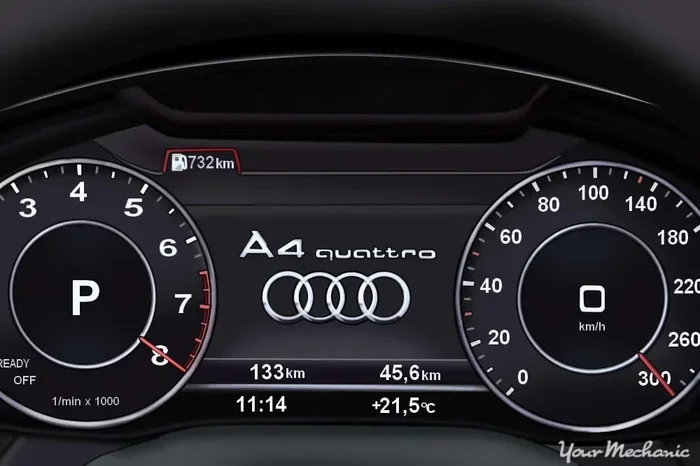
The light usually looks like a small wrench icon or a text message on the instrument cluster. It may also show a message like “Service Due” or “Inspection Due.” The exact appearance depends on your Audi model and the year it was made.
Why Does the Light Matter?
Ignoring the Audi service indicator is not a good idea. Here is why:
- Safety: Regular inspections catch worn brake pads, low fluid levels, and tire problems before they become dangerous.
- Engine Health: Skipping oil changes and fluid checks can lead to engine damage over time.
- Resale Value: A well-documented service history makes your Audi more valuable when you sell or trade it in.
- Warranty Protection: Some Audi warranties require proof of regular maintenance to stay valid.
So that little light is actually trying to help you. It is a friendly nudge from your car to keep up with basic care.
Why You Need to Reset the Inspection Light
Once you complete your service, the inspection light will stay on unless you reset it manually. This is by design. The system does not know that you visited the mechanic or changed the oil yourself. It only resets when you tell it to.
Leaving the light on after service creates confusion. You might forget when the last inspection happened. Or worse, you might ignore a real future warning because you got used to seeing the light all the time. A proper Audi inspection due light reset keeps your dashboard clean and your reminders accurate.
Here are a few reasons why resetting the light matters:
- It clears the false alarm so your dashboard looks normal again.
- It restarts the countdown timer for your next service interval.
- It helps you track your maintenance schedule more easily.
- It prevents unnecessary stress about whether your car is actually okay.
Resetting the light is not about hiding problems. It is about keeping your car’s reminder system working the way it was designed to work.
How to Reset the Audi Inspection Due Light
The Audi reset procedure varies slightly depending on your model and the year it was made. However, the general process is very similar across most Audi vehicles. Below, we walk you through the most common method that works on many Audi models from the mid-2000s onward.
Step-by-Step Reset Process
Follow these steps carefully to reset your Audi inspection due light:
- Turn the ignition to the “ON” position. Do not start the engine. Just press the start button without stepping on the brake, or turn the key to the first position. You want the dashboard lights to come on but the engine to stay off.
- Press and hold the trip meter reset button. This button is usually located on the steering wheel or on the instrument cluster itself. On most Audis, it is the button at the end of the stalk that controls the cruise control or turn signals.
- While holding the button, turn the ignition to the “OFF” position. Then turn it back to “ON” while still holding the button.
- Wait for the display to show a reset prompt. The screen should display a message asking if you want to reset the service interval.
- Release the button and press it again to confirm. The display should now show that the service interval has been reset successfully.
- Turn the ignition off and then back on. Check the instrument cluster to confirm the inspection light is no longer visible.
This process usually takes less than one minute. If it does not work the first time, try again and make sure you hold the button long enough during step three. Timing is the most common reason for a failed reset.
Quick Tips for a Successful Reset
- Make sure the car is fully stationary before you start the process.
- Hold the button steadily. Do not tap it quickly. A firm, continuous press works best.
- Check your owner’s manual for model-specific button locations. The manual is your best friend for these tasks.
- Do this right after your service. Resetting immediately ensures the mileage and date are accurate.
Audi Model-Specific Reset Instructions
Not all Audis use the exact same reset method. Here is a quick look at how the Audi inspection due light reset works for some of the most popular models.
| Audi Model | Reset Method | Difficulty Level |
|---|---|---|
| A3 (8P, 8V) | Hold trip reset button, cycle ignition on/off | Easy |
| A4 (B6, B7, B8, B9) | Hold trip button, turn ignition to ON, confirm on screen | Easy |
| A6 (C6, C7, C8) | Use steering wheel controls to navigate to service menu, then confirm reset | Medium |
| Q5 (8R, FY) | Hold trip reset stalk button, cycle ignition, confirm reset | Easy |
| Q7 (4L) | Use MMI system to go to Service menu and select reset | Medium |
| TT (8J) | Hold trip reset button, cycle ignition, confirm on display | Easy |
As you can see, older and simpler models tend to use the button-hold method. Newer models with advanced MMI infotainment systems may require you to navigate through on-screen menus. The MMI approach involves going to the “Vehicle” or “Service” section and selecting the reset option directly.
If you own an Audi with the MMI system, the Audi inspection due light reset process looks like this:
- Press the Menu button on the MMI controller.
- Navigate to “Vehicle” or “Car Setup.”
- Select “Service” or “Maintenance.”
- Choose “Reset Service Interval.”
- Confirm the reset on the screen.
No matter which method your model uses, the core idea is the same. You are telling the car’s computer that the service has been completed and the countdown should start over.
Common Problems When Resetting the Inspection Light
Sometimes the reset does not work the first time. This can be frustrating, but it is usually easy to fix. Here are the most common issues people run into when trying an Audi inspection due light reset.
The Light Comes Back Right After Resetting
If the inspection light returns shortly after you reset it, the most likely cause is that the service was not actually completed. The system tracks real data like mileage and engine hours. If those numbers have not changed since your last reset, the light will come back on.
Another possible cause is a loose or faulty connection at the instrument cluster. In rare cases, a wiring issue can confuse the system and cause it to keep displaying the warning.
The Reset Menu Does Not Appear
When the reset menu does not show up, it is usually because of timing. You may have released the button too early or turned the ignition at the wrong moment. Try the process again and be more patient during the hold phase.
Also, make sure you are using the correct button. On some Audis, the cruise control stalk button and the turn signal stalk button look similar but serve different functions.
The Display Shows an Error Message
If you see an error message on the screen, do not panic. This sometimes happens when the battery voltage drops during the reset process. Try again with the engine off and make sure the battery is fully charged.
If error messages persist, it could indicate a deeper Audi dashboard warning issue that needs professional diagnosis. A mechanic or Audi specialist can run a diagnostic scan to check for stored fault codes.
Common Mistakes to Avoid
- Starting the engine during the reset. The ignition must be in the ON position, not running.
- Releasing the button too soon. Hold it steadily for at least five seconds during the key cycle.
- Using the wrong button. Double-check which button controls the trip meter on your specific model.
- Resetting before the service is done. Only reset after the actual maintenance is complete.
- Ignoring the owner’s manual. Your manual has the exact steps for your model and year.
When to See a Professional for the Inspection Light
Most of the time, you can handle an Audi inspection due light reset on your own. But there are situations where professional help is the right call.
You should see a mechanic or Audi specialist if:
- The light stays on even after you follow the reset steps correctly.
- Multiple warning lights appear on the dashboard at the same time.
- The inspection light keeps returning within a few days of resetting.
- You notice other symptoms like strange noises, reduced performance, or fluid leaks.
- Your Audi has a complex MMI or virtual cockpit system and you are not comfortable navigating it.
Professionals have access to Audi diagnostic tools that can read error codes and clear stubborn warnings. A dealer or certified Audi technician can also check whether the inspection light is tied to a specific fault rather than just a routine reminder.
It is also worth noting that some newer Audi models require a Audi diagnostic tool for the full reset. These vehicles store service data in a way that a simple button press cannot clear. In those cases, a visit to the dealer or a qualified independent shop is the best option.
How Often Should You Inspect Your Audi?
The Audi maintenance schedule typically recommends service every 10,000 to 15,000 miles, depending on the model and engine type. Some newer Audis use an oil-life monitoring system that adjusts the interval based on your driving habits.
Short trips, stop-and-go city driving, and extreme temperatures can shorten the interval. If you drive in harsh conditions, consider servicing your Audi more frequently than the system suggests.
Final Thoughts on the Audi Inspection Due Light Reset
Dealing with the Audi inspection due light does not have to be stressful. Once you understand what the light means and how to reset it, the whole process becomes quick and easy. Whether you drive an A3, A4, A6, Q5, or any other Audi model, the basic principles remain the same.
The key is to follow the steps carefully and avoid the common mistakes outlined above. A successful Audi inspection due light reset keeps your dashboard clean and your maintenance schedule on track. It also gives you peace of mind knowing that your car is getting the care it needs.
Take a moment to locate the right button on your Audi, keep your owner’s manual handy, and try the reset after your next service. You will be surprised at how simple it really is. And if you ever run into trouble, do not hesitate to reach out to a professional Audi technician who can help you get it sorted out.
Staying proactive with your Audi service indicator is one of the best things you can do as a car owner. It keeps your vehicle safe, reliable, and ready for the road ahead every single day.
Frequently Asked Questions
Can I reset the Audi inspection light without completing the service?
Technically, you can reset the light at any time using the button procedure. However, it is strongly recommended to complete the actual service first. Resetting without service means the maintenance countdown starts over without the real work being done, which can hurt your car’s long-term health.
How often does the Audi inspection light come on?
The Audi inspection due light typically activates every 10,000 to 15,000 miles, depending on your model and driving conditions. Newer Audis with oil-life monitoring systems may adjust this interval based on your actual driving patterns and habits.
Will resetting the inspection light clear any error codes stored in the system?
No. The inspection light reset only clears the service reminder. It does not erase diagnostic trouble codes or fault codes. To clear actual error codes, you need a proper Audi diagnostic tool or a visit to a qualified technician.
What should I do if the inspection light will not reset?
If the standard reset procedure does not work, double-check that you are using the correct button and following the timing properly. If it still fails, the issue may be related to a battery voltage problem or a stored fault code. In that case, a professional diagnostic scan at a dealership or Audi specialist is the best next step.
Is the Audi inspection due light reset the same across all model years?
Not exactly. Older Audi models generally use the button-hold method on the instrument cluster. Newer models with advanced MMI or virtual cockpit displays often require you to navigate through on-screen menus. Always refer to your specific model’s owner’s manual for the most accurate instructions.
Can a dead battery affect the Audi inspection light reset?
Yes. A low or dead battery can interfere with the reset process and cause error messages or failed resets. If you have recently had a battery replacement or your battery is old, make sure it is fully charged before attempting the Audi inspection due light reset. A healthy battery ensures the car’s computer retains the correct data during the procedure.