How To Remotely Open Sentra Windows With Intelligent Key
You can remotely open Sentra windows with the Intelligent Key by pressing and holding the lock and unlock buttons together. This simple trick lets you vent your car or cool it down before you get inside. The process works on most Sentra models equipped with the smart key system, and it only takes a few seconds to learn.
Have you ever parked your car under the hot sun and wished you could cool it down before sitting inside? Maybe you forgot to roll down the windows after a rainstorm, or you just want to let fresh air into the cabin. Whatever the reason, remotely open Sentra windows with the Intelligent Key is a feature that makes life much easier.
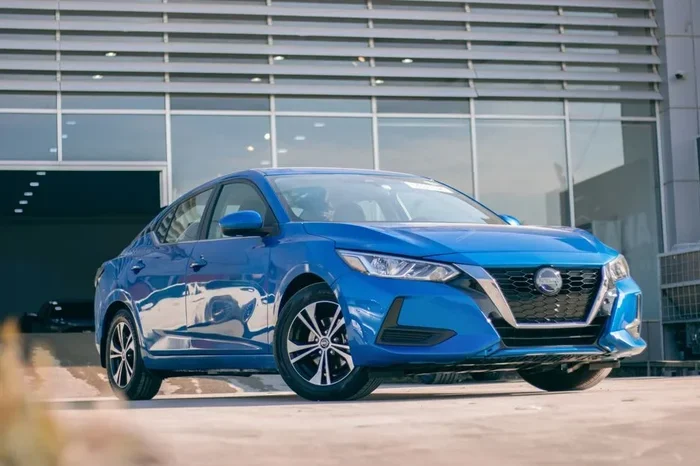
The Nissan Sentra comes loaded with smart features, and the Intelligent Key system is one of the best parts about owning this car. You might already use it to lock, unlock, and start the engine without touching the key. But did you know you can also control your windows from a distance? Let us walk you through exactly how this works.
In this guide, we will cover everything you need to know. From the basic steps to troubleshooting common problems, you will find all the details right here. Whether you drive a 2020 Sentra or a 2024 model, the process is very similar. So let us dive in and explore how you can use your Nissan Intelligent Key to manage your windows remotely.
Key Takeaways
- Quick Access: You can roll down windows remotely without starting the engine.
- Easy Process: The method involves holding two buttons on your Intelligent Key fob simultaneously.
- Wide Compatibility: Most Sentra models from recent years support this feature.
- Built-In Safety: The system includes auto-stop and anti-pinch features for protection.
- Customizable Settings: You can adjust window sensitivity and timing through your vehicle settings.
- Battery Matters: A weak key fob battery can cause the remote function to fail.
📑 Table of Contents
- Understanding the Intelligent Key System in the Sentra
- Step-by-Step Guide to Remotely Open Sentra Windows
- Which Sentra Models Support Remote Window Opening
- Customizing Your Window Settings
- Troubleshooting Remote Window Issues
- Safety Features and Precautions
- Benefits of Using Remote Window Control
- Comparison: Remote Window Control Across Nissan Models
- Expert Insights on Maximizing Your Sentra’s Remote Features
- Common Mistakes to Avoid
- Conclusion
Understanding the Intelligent Key System in the Sentra
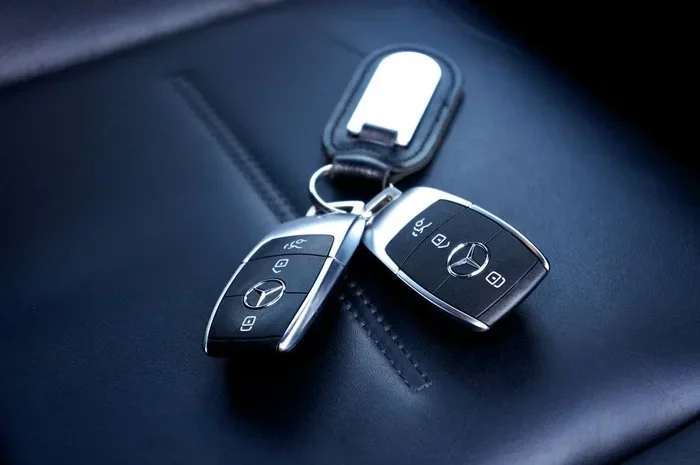
The Intelligent Key is Nissan’s smart access system. It replaces traditional keys with a fob that communicates with your car wirelessly. You can lock the doors, open the trunk, and start the engine just by being near the vehicle. The system uses a proximity sensor to detect the key fob inside or outside the car.
But the Intelligent Key does much more than just lock and unlock. It also supports remote window control, which is the feature we are focusing on today. This function allows you to roll down the windows without entering the car or turning on the ignition.
How the Remote Window Feature Works
When you press the right combination of buttons on your key fob, the car receives a signal. The window control module then activates the electric window motors. The windows roll down to their lowest position. Some Sentra models also support opening the sunroof remotely, depending on your trim level.
Here is what makes this feature so convenient:
- No need to start the engine to use the windows.
- Works from a distance of up to about 30 feet from the car.
- Auto-stop safety prevents the windows from closing on objects or body parts.
- Quick venting lets hot air escape before you step inside.
The feature is especially useful during summer months. You can pre-cool your Sentra by rolling down the windows a few minutes before you arrive. It is a small thing that makes a big difference in comfort.
Step-by-Step Guide to Remotely Open Sentra Windows
Now let us get to the main part. Here is exactly how you can remotely open Sentra windows with the Intelligent Key. Follow these steps carefully, and you will be able to do it every time.
Step 1: Make Sure You Are Within Range
Stand within about 30 feet of your Sentra. The key fob needs to be close enough to send a signal to the car. If you are too far away, the command will not reach the vehicle. Also, make sure there are no major obstacles blocking the signal between you and the car.
Step 2: Press and Hold Both Buttons Together
On your Nissan Intelligent Key fob, you will see the lock button and the unlock button. Press and hold both buttons at the same time. Keep holding them for about three to five seconds.
You should see the front windows start to roll down. On most Sentra models, all four windows will lower. If your car has a power sunroof, it may open as well, depending on your settings.
Step 3: Release the Buttons
Once the windows are fully down, release the buttons. The windows will stay open until you press the lock button or walk away from the car. Some models have a timeout feature that automatically closes the windows after a set period.
Step 4: Close the Windows Remotely
When you are ready, you can close the windows the same way. Press and hold the lock button and unlock button together again. The windows will roll back up. The auto-pinch safety feature will stop the windows if they detect any resistance.
Quick Tips for Smooth Operation
Here are some helpful tips to make the remote window feature work flawlessly every time:
- Keep your fob battery fresh. A weak battery can reduce the signal strength and cause the command to fail.
- Stand facing the front of the car. This improves signal reception.
- Do not press the buttons too briefly. Hold them for at least three seconds to ensure the signal registers.
- Check for obstructions. Objects near the window sensors can trigger the auto-stop feature.
- Practice in a safe area. Try the feature a few times in your driveway before relying on it in real situations.
Which Sentra Models Support Remote Window Opening
Not every Sentra model has the same features. The remote window open function is available on most Sentra models equipped with the Intelligent Key system. Let us look at which years and trims support this feature.
Model Year Compatibility
The remote window feature has been available on the Sentra for several years. Here is a general breakdown:
- 2013 and newer Sentra models typically support remote window control with the Intelligent Key.
- 2020 Sentra and newer models have the most refined version of this feature.
- 2022 and 2023 Sentra models offer full compatibility with all Intelligent Key functions.
- Older models before 2013 may not have this feature built into the key fob.
Trim Level Differences
The trim level of your Sentra also matters. Higher trims like the SR, SL, and Platinum versions usually include the remote window feature as standard. Base models might require an optional package or upgrade to access this function.
If you are unsure whether your specific Sentra supports remote window opening, check your owner’s manual. The manual will list all the functions available for your key fob. You can also contact a Nissan dealership and ask them to confirm your model’s capabilities.
Customizing Your Window Settings
Did you know you can customize how the remote window feature works on your Sentra? The vehicle settings menu gives you control over several aspects of window operation.
Adjusting Window Sensitivity
The auto-pinch safety system can be adjusted for sensitivity. If your windows are stopping too often, you might want to lower the sensitivity. On the other hand, if the windows do not stop when they should, you can increase it. This setting is found in the vehicle information display under the window controls section.
Setting the Auto-Close Timer
Some Sentra models let you set how long the windows stay open before automatically closing. This is helpful if you forget to close them manually. You can usually set the timer to one minute, three minutes, or five minutes. Check your Sentra owner’s manual for specific instructions on accessing this setting.
One-Touch Auto Roll-Up
Most Sentra models include a one-touch auto roll-up feature. This means you can press the lock button once, and all windows will close automatically without holding the button down. This works both from the key fob and from inside the car.
Troubleshooting Remote Window Issues
Sometimes the remote window feature does not work as expected. This is normal and usually easy to fix. Let us look at the most common problems and their solutions.
Key Fob Battery Is Low
The most common reason for remote functions failing is a low battery in the key fob. Replace the battery with a new CR2032 coin cell battery. This is a simple fix that takes less than a minute. After replacing the battery, test the remote window function again.
Signal Interference
Other electronic devices can interfere with the signal between your key fob and the car. If you are carrying multiple fobs or electronic devices close to the key fob, move them away and try again. Signal interference is more common in crowded parking lots or near tall buildings.
Window System Needs Reset
Sometimes the window control module needs a reset. To do this, turn the ignition on and off, then try the remote window function again. If the windows still do not respond, you may need to initialize the window system. This involves manually raising and lowering each window fully several times to reset the auto-stop sensors.
Software Updates
Nissan occasionally releases software updates for the Intelligent Key system. These updates can fix bugs and improve remote function performance. Visit your local Nissan dealer to check if any updates are available for your Sentra model.
Safety Features and Precautions
Nissan has built several safety features into the remote window system. These protect you, your passengers, and your vehicle.
Anti-Pinch Protection
The anti-pinch feature stops the windows immediately if they detect an object in their path. This is especially important when using the remote function, since you are not physically present to monitor the windows. If something is blocking the window, it will stop and reverse slightly.
Auto-Stop When Ignition Is Off
The remote window function only works when the ignition is off and you are outside the vehicle. Once you enter the car and turn the ignition on, the window controls switch to manual mode. This prevents accidental window operation while driving.
Security Lockout
If someone tries to use the remote window feature repeatedly without success, the system may temporarily lock out the function. This is a security measure to prevent unauthorized access. Wait a few minutes and try again with a fresh battery in your key fob.
Benefits of Using Remote Window Control
You might wonder why this feature is so useful. Here are some real-world benefits of being able to remotely open Sentra windows with the Intelligent Key.
- Cool down the cabin: On hot days, rolling down the windows lets hot air escape before you get in.
- Vent moisture: If your windows fog up overnight, you can clear them remotely before driving.
- Improve air quality: Let fresh air circulate through the car after it has been parked for hours.
- Reduce AC load: Pre-venting the car reduces the workload on your air conditioning system.
- Quick drying: If you washed your car or it rained, you can open the windows to speed up drying.
These benefits add up over time. The remote window feature is one of those small conveniences that you will appreciate every single day once you get used to it.
Comparison: Remote Window Control Across Nissan Models
The Sentra is not the only Nissan with this feature. Here is how remote window control compares across popular Nissan models.
| Model | Remote Window Control | Intelligent Key Required | Sunroof Support |
|---|---|---|---|
| Sentra | Yes | Yes | Available on select trims |
| Altima | Yes | Yes | Yes |
| Maxima | Yes | Yes | Yes |
| Kicks | Yes | Yes | No |
| Rogue | Yes | Yes | Yes |
As you can see, most modern Nissan vehicles support remote window control with the Intelligent Key. The Sentra offers this feature on most trims, making it a practical choice for daily driving.
Expert Insights on Maximizing Your Sentra’s Remote Features
Automotive experts recommend getting familiar with all the remote functions your key fob offers. Beyond window control, the Intelligent Key supports remote engine start on some Sentra models. This means you can pre-condition the cabin by starting the air conditioning before you enter the car.
Experts also suggest keeping your key fob programmed correctly. If you have multiple fobs for the same vehicle, make sure each one is synced properly. A misprogrammed fob can cause inconsistent behavior with remote functions. Visit a Nissan service center if you need help with fob programming.
Another tip from experienced Sentra owners is to combine the remote window feature with remote start. Start the engine remotely, then open the windows to let the AC cool the cabin faster. This combination works especially well in hot climates where the interior can become extremely hot when parked outdoors.
Common Mistakes to Avoid
Even though the process is simple, people sometimes make mistakes when trying to remotely open Sentra windows with the Intelligent Key. Here are the most common errors to avoid.
- Holding the buttons for too short a time: The fob needs at least three seconds of button pressure to send the command.
- Standing too far away: Stay within 30 feet for reliable signal transmission.
- Ignoring a weak fob battery: A dying battery will cause intermittent failures. Replace it proactively.
- Pressing the wrong button combination: You must press both the lock and unlock buttons together, not one at a time.
- Forgetting to check for obstructions: Objects near the window sensors can prevent the windows from moving.
Avoiding these simple mistakes will ensure a smooth experience every time you use the remote window feature.
Conclusion
Remotely open Sentra windows with the Intelligent Key is one of the most practical features you will ever use. It takes just a few seconds, requires no special tools, and works on most Sentra models equipped with the smart key system. Whether you want to vent hot air, clear foggy windows, or simply enjoy fresh air before stepping into your car, this feature delivers every time.
Remember to keep your key fob battery fresh, stand within range, and hold the buttons long enough for the command to register. If you run into any issues, check the troubleshooting tips we covered above. With a little practice, controlling your Sentra windows remotely will become second nature.
Take a few minutes today to try the feature in your own driveway. Once you see how easy it is, you will wonder how you ever lived without it. The Nissan Intelligent Key system is designed to make your life simpler, and remote window control is just one example of that philosophy in action.
Frequently Asked Questions
Can I open only one window remotely with the Intelligent Key?
On most Sentra models, pressing and holding the lock and unlock buttons together will roll down all windows at once. The system does not typically allow you to select individual windows remotely. However, you can control individual windows manually from inside the car using the door switch panel.
Does the remote window feature work when the engine is running?
No, the remote window open function only works when the ignition is off and you are outside the vehicle. Once you enter the car and turn the key or push the start button, the window controls switch to manual operation for safety reasons.
How far away can I be from my Sentra to use the remote window feature?
The Intelligent Key remote function works from approximately 30 feet away from the vehicle. Standing closer to the front of the car improves signal strength and ensures reliable operation. Obstacles like walls or large objects can reduce the effective range.
What should I do if the remote window feature stops working suddenly?
Start by replacing the battery in your key fob with a new CR2032 battery. If that does not solve the problem, try resetting the window system by manually raising and lowering each window fully several times. If the issue persists, visit a Nissan dealership to check for software updates or module faults.
Can I use the remote window feature on a Sentra without the Intelligent Key?
No, the remote window open function requires the Intelligent Key fob. Sentra models without the smart key system use a traditional key and do not support this remote feature. Check your owner’s manual or consult a dealer to confirm your model’s capabilities.
Is it safe to leave the windows open remotely overnight?
It is not recommended to leave your windows open remotely overnight. Most Sentra models have an auto-close timer that will shut the windows after a few minutes. However, leaving windows open for extended periods can expose the interior to moisture, dust, and potential theft. Always close the windows before leaving the vehicle unattended for long periods.