Why You Cant Start Mazda With The App And How To Fix It
Many Mazda owners face the frustrating issue of not being able to start their Mazda with the app. This problem usually stems from connection glitches, app settings, or subscription issues. In this guide, we walk you through the most common causes and easy fixes to get your Mazda remote start working again. Whether you drive a Mazda3 or a Mazda CX-5, these solutions will help you troubleshoot the Mazda app connectivity problem quickly and confidently.
Key Takeaways
- Check your internet connection: A weak Wi-Fi or cellular signal is the top reason you can’t start Mazda with the app.
- Verify your Mazda Connected Services subscription: An expired plan will block remote start features.
- Update the Mazda app regularly: Outdated software causes many app connectivity issues and vehicle not responding errors.
- Restart both your phone and the Mazda vehicle: A simple reboot fixes a surprising number of Mazda app troubleshooting problems.
- Keep your key fob inside the vehicle: The car needs to detect the fob even when using the app for remote engine start.
- Contact Mazda Support if all else fails: Some issues require dealer-level diagnostics or firmware updates.
📑 Table of Contents
- Why You Can’t Start Mazda With The App And How To Fix It
- Common Reasons You Can’t Start Mazda With The App
- How To Check Your Mazda App Connection Settings
- Step-by-Step Troubleshooting When You Can’t Start Mazda With The App
- Mazda App Updates And Software Fixes That Help
- When To Contact Mazda Support For Help
- Preventing Future App Start Problems With Your Mazda
- Final Thoughts
Why You Can’t Start Mazda With The App And How To Fix It
You’re standing outside your car on a cold morning. You open the Mazda app on your phone. You tap the remote start button. Nothing happens. You try again. Still nothing. It is incredibly frustrating when you can’t start Mazda with the app like you expected to.
This problem happens more often than you might think. Thousands of Mazda owners report the same issue every year. The good news is that most causes are simple to fix. You do not need to be a tech expert. In this article, we break down exactly why this happens and how you can get your Mazda vehicle started using your phone. We cover everything from basic connection checks to deeper Mazda app troubleshooting steps. Let us dive in.
The Mazda app lets you lock doors, check fuel levels, and start your engine from a distance. It relies on Bluetooth connectivity, cellular data, and Mazda Connect services to work. When any one of these pieces breaks, the whole system fails. Understanding how the system works makes fixing it much easier. So let us look at the most common reasons your remote start is not working.
Why Remote Start Matters For Mazda Owners
Remote start is one of the most popular features in modern Mazda vehicles. It lets you warm up or cool down your car before you get in. On freezing winter mornings, this feature is a game changer. It also adds a layer of security because you can start the car without being near it.
But here is the catch. This feature depends on a working connection between your phone, the app, and your car’s Mazda infotainment system. If even one link in that chain breaks, you are left staring at a screen that will not respond. That is exactly when you find out you can’t start Mazda with the app. Let us explore the top reasons this happens.
Common Reasons You Can’t Start Mazda With The App
When your Mazda app not working problem hits, it usually comes down to one of several common causes. Understanding these root issues helps you fix the problem faster. Below are the most frequent reasons Mazda remote start fails.
Weak or Unstable Internet Connection
The number one reason people can’t start Mazda with the app is a poor internet connection. The app needs a strong cellular or Wi-Fi signal to talk to your car. If your phone shows one bar of signal, the app may time out before it sends the command. Similarly, if your car is parked in a spot with weak Bluetooth connectivity, the vehicle not responding message will pop up.
Think of it like trying to make a phone call in a dead zone. The call simply will not go through. The same thing happens with your Mazda app connectivity. Before you try anything else, check your phone’s signal strength. Move closer to a window if you are indoors. Step outside if you are in a garage. A stronger signal often solves the problem instantly.
Expired or Inactive Mazda Connected Services
Mazda offers a subscription-based service called Mazda Connected Services. This service powers many of the app’s features, including remote engine start. If your subscription has expired, the app will not send start commands to your car. This is a very common reason Mazda owners suddenly find their app does not work.
You can check your subscription status by logging into the app and visiting the account or settings section. If your plan has lapsed, you will need to renew it. Sometimes a simple renewal fixes everything right away. Other times, you may need to restart the app after renewing for the changes to take effect.
Outdated Mazda App Software
Running an old version of the Mazda app can cause serious problems. App updates fix bugs, improve smartphone integration, and add new features. If your app is out of date, it may not communicate properly with your car’s Mazda Connect system. This leads to app connectivity issues and failed start attempts.
Go to your phone’s app store and search for the Mazda app. If an update is available, install it right away. After updating, restart the app and try again. This simple step resolves the problem for many Mazda owners who can’t start Mazda with the app.
Key Fob Not Detected by the Vehicle
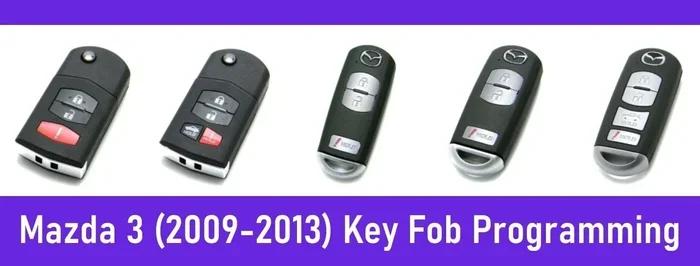
Here is something many people do not know. Even when you use the app to start your car, the key fob must be inside the vehicle. The car’s system checks for the fob before allowing remote engine start. If the fob is outside the car, under a seat cushion, or in your pocket in the garage, the car will refuse to start.
This is a safety feature. It prevents someone from stealing your car by using the app. Make sure the fob is inside the car and within range of the Mazda infotainment system. Place it on the center console or the dash. Then try starting the car again through the app.
Car Battery or Electrical Issues
If your Mazda vehicle has a weak or dead battery, the app will not be able to start it. Remote engine start requires enough battery power to crank the engine. A low battery will cause the app to show an error or simply do nothing. This is especially common in very cold weather when batteries struggle.
Check your battery health using the dashboard indicators or the app itself if it supports that feature. If the battery is old, consider replacing it. A fresh battery often brings your Mazda app troubleshooting efforts to a successful end.
How To Check Your Mazda App Connection Settings
Before you panic, take a step back and check your connection settings. Most Mazda app connectivity issues come down to simple configuration problems. Here is how you can check and fix them.
Verify Bluetooth and Wi-Fi Are Enabled
Open your phone’s settings and make sure both Bluetooth and Wi-Fi are turned on. The Mazda app uses these connections to communicate with your car. If either one is off, the app cannot reach your vehicle. This is the first thing you should check when you can’t start Mazda with the app.
Also, make sure your phone is not in airplane mode. Airplane mode disables all wireless connections, including the ones the app needs. Toggle airplane mode off and try again. This sounds obvious, but it is one of the most overlooked fixes.
Check the App’s Location Permissions
The Mazda app needs location access to function properly. Without it, the app cannot find your car or send start commands. Go to your phone’s settings, find the Mazda app, and make sure location permissions are set to “Allow All The Time.” This ensures the app can connect to your car even when you are not actively using it.
Many people accidentally turn off location access after a phone update. This causes sudden Mazda app not working situations. Checking this one setting can save you a lot of frustration.
Ensure the Car Is in Park
Your Mazda vehicle must be in park for remote engine start to work through the app. If the gear shifter is in any other position, the app will not send the start command. This is a safety feature built into the car’s Mazda Connect system.
Make sure the car is fully in park. Push the shifter firmly into the park position. Then try starting the car again. This small step fixes the problem more often than you would expect.
Step-by-Step Troubleshooting When You Can’t Start Mazda With The App
Now that you know the common causes, let us walk through a systematic Mazda app troubleshooting process. Follow these steps in order. Each step addresses a different potential issue.
Step 1: Restart the Mazda App
Close the app completely and reopen it. On most phones, you can swipe the app away from the recent apps list and tap it again. This clears temporary glitches that may be blocking the connection. Sometimes a simple restart is all it takes to fix app connectivity issues.
Step 2: Restart Your Phone
If restarting the app does not work, restart your phone. A full reboot clears your phone’s network cache and refreshes all connections. After your phone turns back on, open the Mazda app and try starting the car again. This step resolves many vehicle not responding problems.
Step 3: Restart the Mazda Vehicle
Yes, you can restart the car itself. Put the key fob in the car, press the engine start button, and let the car fully power off. Wait about 30 seconds. Then press the button again to start the car normally. This resets the car’s Mazda infotainment system and clears any temporary errors that may be blocking app commands.
Step 4: Check for App and System Updates
Go to your phone’s app store and update the Mazda app. Then check your car’s infotainment system for any available updates. Some Mazda models allow you to check for system updates in the settings menu under “System” or “Software Update.” Keeping everything current prevents many Mazda app troubleshooting issues.
Step 5: Unlink and Relink Your Mazda Account
If none of the above steps work, try unlinking your Mazda account from the app and then relinking it. Go to the app’s settings, find your account, and choose “Sign Out.” Then sign back in with your credentials. This refreshes the connection between the app and your car’s Mazda Connect servers. Many users report that this fixed their remote start problems immediately.
Mazda App Updates And Software Fixes That Help
Mazda regularly releases updates to improve the Mazda app and fix known bugs. Keeping your app and car system updated is one of the best ways to prevent Mazda app connectivity issues in the first place.
Recent App Updates Worth Knowing About
Mazda has pushed several updates in recent years that address remote engine start reliability. These updates improve how the app communicates with the car over Bluetooth connectivity and cellular networks. If you have not updated your app in a while, do it now. The fix you need might already be in the latest version.
How To Enable Automatic Updates
Turn on automatic updates for the Mazda app in your phone’s settings. This ensures you always have the latest features and bug fixes. Go to your app store settings, find the Mazda app, and toggle on “Auto-Update.” This simple habit keeps your smartphone integration running smoothly and reduces the chances of car app not working situations.
Firmware Updates From Your Mazda Dealer
Sometimes the fix requires a firmware update from your Mazda dealer. These updates go beyond the app and update the car’s internal systems. If you have tried all the steps above and still can’t start Mazda with the app, schedule a visit to your dealer. They can run diagnostics and push any needed updates to your Mazda Connect system.
When To Contact Mazda Support For Help
Most of the time, the fixes above will solve your problem. But some situations need professional help. Knowing when to reach out to Mazda support saves you time and prevents further frustration.
Signs You Need Professional Help
Contact Mazda support if you have tried all the troubleshooting steps and your Mazda app not working issue persists. Also reach out if the app shows error codes you do not understand. Another sign is if your Mazda vehicle will not start at all, even with the key fob. These could indicate deeper hardware or software problems that need dealer-level diagnostics.
How To Contact Mazda Support
You can contact Mazda support through the app itself, by phone, or through your local dealer. The app has a “Help” or “Support” section where you can chat with a representative. You can also call Mazda’s customer service line for Mazda telematics support. Have your vehicle identification number ready when you call. This helps the support team pull up your car’s information quickly.
What To Expect During a Dealer Visit
During a dealer visit, the technician will run diagnostic tests on your car’s Mazda Connect system. They will check for software issues, hardware problems, and subscription status. Most visits take less than an hour. The technician will explain what they found and recommend the right fix. In many cases, a simple firmware update or account reset solves the problem on the spot.
Preventing Future App Start Problems With Your Mazda
Once you get your remote start working again, you want to keep it working. Prevention is always better than cure. Here are a few habits that keep your Mazda app running smoothly.
Keep the App Updated at All Times
Enable automatic updates for the Mazda app. This ensures you always have the latest fixes and improvements. An up-to-date app is far less likely to cause app connectivity issues.
Maintain a Strong Internet Connection
Make sure your phone has a reliable data connection before using the app. Avoid using the app in areas with weak signals. If you park in a garage, consider parking near the garage door where your cellular signal is stronger.
Keep Your Subscription Active
Monitor your Mazda Connected Services subscription and renew it before it expires. Set a reminder on your phone a month before renewal is due. This prevents the surprise of finding your Mazda app troubleshooting needed because of an expired plan.
Store the Key Fob Properly
Always keep the key fob inside the car when using the app to start the engine. Store it in a consistent spot, like the center console. This prevents accidental fob detection failures that block remote engine start.
Final Thoughts
Finding that you can’t start Mazda with the app is frustrating, but it is almost always fixable. Most of the time, the problem comes down to a weak internet connection, an expired subscription, or an outdated app. By following the steps in this guide, you can troubleshoot and resolve the issue yourself. Start with the basics, work your way through the checklist, and you will likely get your Mazda remote start working again in minutes.
If the problem persists, do not hesitate to contact Mazda support or visit your local dealer. They have the tools and expertise to handle deeper issues with your Mazda Connect system. The key is not to panic and to work through the problem methodically. With the right approach, you will be back to enjoying the convenience of starting your Mazda vehicle from your phone in no time.
Keep this guide saved for future reference. Share it with fellow Mazda owners who might be dealing with the same Mazda app not working situation. The more people know about these fixes, the less time everyone spends frustrated with their car technology.
Frequently Asked Questions
Why does the Mazda app say the vehicle is not responding?
This error usually means the app cannot connect to your car’s Mazda Connect system. It could be caused by a weak internet signal, an expired subscription, or the car being too far from your phone. Check your connection and subscription status first. Restarting both the app and the car often resolves this issue quickly.
Can I start my Mazda remotely if the key fob is not in the car?
No, the key fob must be inside the vehicle for remote engine start to work. This is a built-in safety feature in all Mazda models. The car needs to detect the fob before it will start. Place the fob on the center console or dash and try again.
How do I renew my Mazda Connected Services subscription?
You can renew through the Mazda app by going to the account or settings section. You can also renew online through the Mazda website or by contacting your dealer. Keeping your subscription active ensures all app features, including remote start, continue to work without interruption.
Does cold weather affect the Mazda app’s ability to start the car?
Yes, cold weather can affect Mazda app connectivity in two ways. It can weaken your phone’s battery and signal, and it can also reduce your car battery’s power. Both factors can interfere with remote engine start. Keeping your phone charged and your car battery healthy helps minimize weather-related issues.
What should I do if restarting the app does not fix the problem?
If restarting the app does not help, move on to restarting your phone and then the car. Check your internet connection, subscription status, and app version. If all of those are fine, try unlinking and relinking your Mazda account. If the problem still exists, contact Mazda support for further assistance.
Are there any known bugs in the Mazda app that cause start failures?
Yes, like any app, the Mazda app occasionally has bugs that affect remote start functionality. Mazda releases updates regularly to fix these issues. Keeping your app updated is the best way to avoid known bugs. You can also check Mazda’s official website or forums for the latest known issues and fixes.