Car Mechanic Simulator Fill Oil Guide for Beginners
This guide teaches you everything about filling oil in Car Mechanic Simulator, from basic steps to advanced techniques. Whether you are a total beginner or looking to improve your gameplay, you will learn how to properly change oil, select the right oil type, and avoid costly mistakes in the game. Follow our easy instructions and master car maintenance like a pro.
Have you just started playing Car Mechanic Simulator and found yourself staring at an engine bay wondering where to even begin? You are not alone. Filling oil is one of the first jobs every player tackles, and it sets the foundation for everything else you will learn in the game.
In this guide, we walk you through the entire oil change process from start to finish. You will learn how to pick the right oil, drain the old stuff, replace the filter, and refill the engine properly. By the end, you will handle oil jobs faster and with more confidence than ever before.
Whether you are fixing a small sedan or a big truck, the basics stay the same. Once you understand the core steps, you can apply them to any vehicle that rolls into your virtual garage. Let us get your hands dirty and your engine running smooth.
Key Takeaways
- Filling oil is a core mechanic: It keeps your virtual engines running and your customers happy in the game.
- Choosing the right oil type matters: Different vehicles need different oil grades for optimal performance.
- Follow the step-by-step process: Draining, replacing the filter, and refilling are the key stages every time.
- Avoid common mistakes: Overfilling, using the wrong oil, and skipping the filter can damage engines in-game.
- Quick tips boost efficiency: Learning shortcuts and best practices saves time and earns more reputation points.
- Advanced techniques level up your skills: Mastering oil management opens up harder jobs and bigger rewards.
📑 Table of Contents
- What Is Car Mechanic Simulator Fill Oil All About?
- Step-by-Step Guide to Fill Oil in Car Mechanic Simulator
- Common Mistakes When Filling Oil
- Comparison: Oil Types in Car Mechanic Simulator
- Tips and Tricks for Mastering Oil Changes
- Advanced Oil Management for Experienced Players
- Key Takeaways
- Conclusion
What Is Car Mechanic Simulator Fill Oil All About?
Car Mechanic Simulator is a popular vehicle repair simulation game where you run your own garage. Players take on jobs from customers, diagnose problems, and perform repairs. One of the most common and essential tasks you will face is the oil change.
In real life, changing engine oil keeps your car healthy. The same principle applies in the game. When you fill oil correctly, the engine runs better, lasts longer, and earns you more reputation points. Skip it or do it wrong, and the engine can suffer serious damage over time.
The game simulates realistic car maintenance in a fun and accessible way. You are not just clicking buttons randomly. Each step has a purpose, and doing it right makes a real difference in your gameplay experience. Think of it as a car maintenance simulation that teaches you real-world concepts too.
Why Oil Changes Are Essential in Gameplay
Oil serves as the lifeblood of any engine in Car Mechanic Simulator. It lubricates moving parts, reduces friction, and prevents overheating. Without fresh oil, engines start to overheat, lose power, and eventually seize up.
Here is why staying on top of oil changes matters:
- Engine longevity: Fresh oil keeps engines running smoothly for longer missions.
- Customer satisfaction: Happy customers mean more jobs and more money in your garage.
- Reputation growth: Quality repairs boost your garage rating and unlock harder challenges.
- Realistic gameplay: The game rewards players who follow proper DIY car maintenance procedures.
Ignoring oil changes is one of the fastest ways to lose customers in the game. Nobody wants their car back with a damaged engine. So let us make sure you never have that problem.
Step-by-Step Guide to Fill Oil in Car Mechanic Simulator
Now let us get into the hands-on part. The oil refill process follows a clear sequence. Once you memorize these steps, you can do them on autopilot. Here is exactly what to do.
Step 1: Identify the Vehicle and Oil Type
Before you touch anything, check the vehicle details. Each car in the game requires a specific oil type selection. You can find this information in the vehicle catalog or by inspecting the engine bay.
Look for the recommended oil grade. It is usually listed as something like 5W-30 or 10W-40. Using the wrong grade can lead to poor engine performance or even damage over time. The game gives you this information, so there is no excuse to guess.
Quick Tip: Keep a notepad or use the in-game catalog to track oil types for different vehicles. This small habit saves you a lot of time in the long run.
Step 2: Lift the Vehicle and Access the Engine
Next, you need to get the vehicle into position. Use the lift or jack to raise the car so you can access the underside of the engine. In Car Mechanic Simulator, you interact with the vehicle using the garage tools panel.
Make sure the vehicle is secure on the lift before you start working. This is a safety step that matters both in the game and in real life. Once the car is up, you can clearly see the oil pan and drain plug underneath the engine.
Step 3: Drain the Old Oil
Locate the drain plug on the oil pan. Place a container beneath it to catch the old oil. Then, use the wrench tool to loosen and remove the plug. The old engine oil will flow out into your container.
Let the oil drain completely. This usually takes about 30 seconds in the game, but do not rush it. A full drain ensures no contaminated oil stays behind to harm the engine. Once the flow stops, re-tighten the drain plug securely.
Step 4: Replace the Oil Filter
The oil filter catches dirt and debris, keeping the oil clean. Over time, it gets clogged and needs replacement. In the game, use the appropriate tool to remove the old filter.
Before installing the new filter, apply a thin layer of fresh oil to the rubber gasket. This creates a proper seal and makes future removal easier. Screw the new filter in by hand until it is snug, then give it a quarter turn with the tool.
Expert Insight: Skipping the oil filter replacement is one of the most common beginner mistakes. Always replace it every time you change the oil. Your virtual engines will thank you.
Step 5: Refill with Fresh Oil
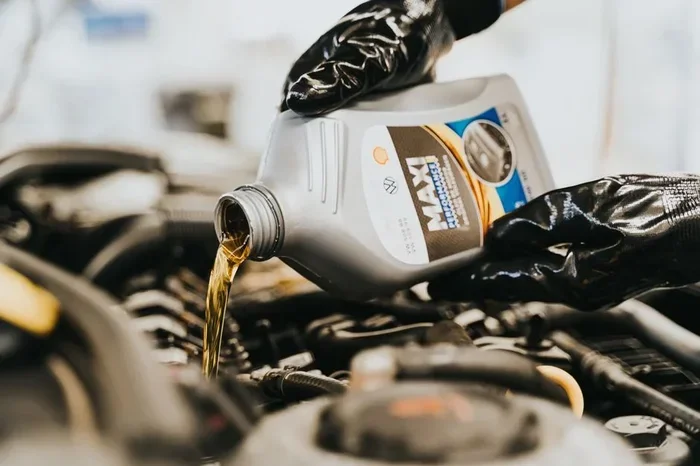
Now comes the main event. Open the oil fill cap on top of the engine. Use the oil can or oil pump tool to pour in the fresh oil. Go slowly and check the level frequently using the dipstick reading method.
The game displays oil levels in real time, so you can see exactly how much is going in. Add oil in small increments until the level reaches the full mark on the dipstick. Do not overfill, because that can cause pressure problems and leaks.
Quick Tip: Pour oil in stages of about one-quarter at a time. Check the dipstick between each addition. This prevents overfilling and gives you better control.
Step 6: Run the Engine and Check for Leaks
Once you have filled the oil to the correct level, it is time to start the engine. Let it run for a few minutes. This circulates the fresh oil throughout the engine and helps you spot any leaks.
Check underneath the vehicle for any drips. Look at the drain plug and oil filter areas specifically. If everything looks dry and clean, you have completed a successful oil change. Turn off the engine and clean up your workspace.
Common Mistakes When Filling Oil
Even experienced players make mistakes sometimes. Knowing what to avoid can save you time, money, and reputation points in the game. Here are the most common errors beginners make with oil change gameplay.
Overfilling the Engine
It is tempting to add just a little extra oil to be safe. But overfilling causes the oil to foam and lose its lubricating properties. In Car Mechanic Simulator, an overfilled engine may start to smoke or lose performance.
Always use the dipstick as your guide. Stop adding oil as soon as the level reaches the full mark. Less is more when it comes to oil levels.
Using the Wrong Oil Type
Every vehicle has specific oil requirements. Using a generic or incorrect oil type can reduce engine efficiency and cause long-term damage. The game tracks oil compatibility, and using the wrong one will show negative effects on engine health.
Always check the vehicle specifications before purchasing oil. This one simple step prevents a world of trouble down the road.
Skipping the Oil Filter
Some players rush through the job and forget to replace the oil filter. Old filters are full of contaminants that will pollute your fresh oil almost immediately. This defeats the purpose of the oil change.
Make the filter replacement a non-negotiable part of your routine. It takes only a few extra minutes and dramatically improves the quality of your work.
Not Tightening the Drain Plug
A loose drain plug means oil leaks everywhere. Not only does this make a mess, but it also means the engine is running low on oil. Always double-check that the drain plug is tightened properly before you start the engine.
Use the correct size wrench and tighten to the recommended torque. The game provides feedback when a bolt is properly secured, so pay attention to those cues.
Comparison: Oil Types in Car Mechanic Simulator
Different vehicles require different oil grades. Here is a quick comparison of the most common oil types you will encounter in the game:
| Oil Type | Best For | Performance Level | Price in Game |
|---|---|---|---|
| 5W-30 | Small to mid-size sedans | Standard | Low |
| 10W-40 | SUVs and heavier vehicles | Standard | Low |
| 5W-40 Synthetic | High-performance engines | Premium | Medium |
| 0W-20 Full Synthetic | Modern turbocharged engines | Premium | High |
| 15W-40 Diesel Oil | Diesel trucks and vans | Standard | Medium |
Choosing the right oil from this list ensures your repairs are top-notch. Premium oils cost more but deliver better results for high-performance vehicles. For everyday cars, standard oil grades work perfectly fine and keep costs low.
Tips and Tricks for Mastering Oil Changes
Once you have the basics down, these tips will help you work faster and earn better results in the game.
Build an Oil Supply Inventory
Keep a stock of common oil types and filters in your garage inventory. Running out of supplies mid-job slows you down and costs you money. Buy in bulk when you can afford it, especially for the oil grades you use most frequently.
Use Time-Saving Shortcuts
The game offers several shortcuts for experienced players. Learn to use the quick-access toolbar for your most-used tools. Set up your workspace so the drain pan, new filter, and fresh oil are all within easy reach before you start the job.
Focus on Customer Requests
Some customers specifically request oil changes as their only job. These are quick, easy tasks that build your reputation fast. Prioritize them when your garage queue is full. They are perfect for earning money between bigger, more complex repairs.
Track Your Reputation
Every successful oil change adds to your garage reputation. High reputation unlocks harder vehicles and more challenging jobs. Think of each oil change as an investment in your garage’s future growth.
Advanced Oil Management for Experienced Players
Once you have mastered basic oil changes, you can take your skills to the next level. Car Mechanic Simulator offers advanced oil management challenges that test your knowledge and speed.
Bulk Oil Changes
Some jobs involve multiple vehicles needing oil changes at once. These are perfect opportunities to practice your workflow. Set up a pipeline: drain one engine while another is being refilled. Efficient workflow management is the key to handling bulk jobs without mistakes.
Engine Diagnostics After Oil Changes
Advanced players can use diagnostic tools after completing an oil change. These tools read engine health data and confirm that the new oil is performing correctly. If the readings are off, you may need to recheck your work for leaks or incorrect oil levels.
Oil Analysis and Quality Control
In later stages of the game, you gain access to oil analysis tools. These let you test the quality of used oil before disposal. This feature adds a layer of realism and helps you identify potential engine problems early. It is a great way to impress customers and earn bonus reputation points.
Key Takeaways
- Filling oil is a core mechanic: It keeps your virtual engines running and your customers happy in the game.
- Choosing the right oil type matters: Different vehicles need different oil grades for optimal performance.
- Follow the step-by-step process: Draining, replacing the filter, and refilling are the key stages every time.
- Avoid common mistakes: Overfilling, using the wrong oil, and skipping the filter can damage engines in-game.
- Quick tips boost efficiency: Learning shortcuts and best practices saves time and earns more reputation points.
- Advanced techniques level up your skills: Mastering oil management opens up harder jobs and bigger rewards.
Conclusion
Car Mechanic Simulator fill oil is one of the simplest yet most important skills you will learn in the game. From selecting the right oil type to draining the old fluid and refilling the engine, each step plays a vital role in keeping your virtual garage running smoothly. Follow the process outlined in this guide, avoid the common pitfalls, and you will be completing oil changes like a seasoned professional in no time.
The more you practice, the faster and more accurate you become. Start with the basic steps, build your confidence, and then explore the advanced techniques to really stand out. Every oil change you complete brings you closer to building the ultimate virtual garage. So grab your tools, hop under the hood, and start filling oil like a pro today.
FAQs
What oil type should I use first in Car Mechanic Simulator?
Start with 5W-30 or 10W-40 standard oil. These are the most common and affordable options for beginner vehicles in the game. They work well for most sedans and light trucks you will encounter early on.
How do I know if I overfilled the engine with oil?
The game shows oil levels on the dipstick display. If the level goes above the full mark, you have overfilled. Symptoms include engine smoking, reduced performance, and oil leaks. Always add oil in small amounts and check frequently.
Can I reuse old oil in Car Mechanic Simulator?
No, the game does not allow you to reuse old oil. You must drain the old oil and dispose of it properly before refilling with fresh oil. This mirrors real-world automotive maintenance practices and keeps the simulation realistic.
How often should I change oil in the game?
Change oil every time a job requires it or when the engine health drops below optimal levels. Regular oil changes keep your reputation high and your garage profitable. Some players also change oil proactively between jobs to maintain engine condition.
Is the oil filter necessary to replace every time?
Yes, absolutely. Replacing the oil filter is a required part of every oil change in the game. Skipping it leads to contaminated oil and reduced engine performance. Make it a habit to always swap out the old filter for a new one.
What happens if I use the wrong oil type for a vehicle?
Using the wrong oil type reduces engine efficiency and can cause long-term damage. The game tracks oil compatibility and shows negative effects on engine health. Always check the vehicle specifications before selecting an oil type to avoid costly repairs.