How to Reset the Maintenance Required Light on Toyota
Resetting the maintenance required light on Toyota is a simple process that every Toyota owner should know. Toyota maintenance light reset procedures vary slightly depending on your model year and trim level, but the core steps remain the same. This guide walks you through the Toyota service indicator reset for older models with a trip meter and newer models with a display screen. You will also learn common mistakes to avoid and when to seek professional help. By the end, you will feel confident handling this Toyota dashboard light reset on your own.
You are driving your Toyota down the road, and suddenly a little yellow or orange light pops up on your dashboard. It says “Maintenance Required.” You have seen it before, but now it is staring right at you. What does it mean? How do you turn it off? More importantly, how do you reset it properly?
If you own a Toyota, this question has probably crossed your mind at least once. The Toyota maintenance required light is designed to remind you when it is time for scheduled service. It is not a warning of a serious problem, but it is easy to ignore until it becomes annoying. The good news is that resetting this light is something you can do yourself in just a few minutes.
This guide covers everything you need to know about the Toyota maintenance light reset. Whether you drive a Toyota Camry, Corolla, RAV4, or any other Toyota model, you will find clear, step-by-step instructions. We will also cover common mistakes, model-specific tips, and when it is time to visit a mechanic. Let us get started.
Key Takeaways
- Simple Process: Resetting the Toyota maintenance required light is quick and does not require a mechanic or special tools.
- Model-Specific Steps: Different Toyota models use different reset methods, from trip meter buttons to touchscreen menus.
- Common Mistakes Matter: Holding the wrong button or skipping steps can reset the light incorrectly or not at all.
- Maintenance Schedule Awareness: The light reminds you of your Toyota service interval and oil change needs.
- Know When to Seek Help: If the light persists after resetting, it may signal a deeper issue that needs a professional diagnosis.
- Works Across Models: The guide covers Toyota Camry, Corolla, RAV4, and other popular Toyota vehicles.
📑 Table of Contents
Understanding the Toyota Maintenance Required Light
What Does the Maintenance Required Light Mean?
The Toyota maintenance required light is part of your vehicle’s onboard maintenance system. It is also called the Toyota maintenance minder or Toyota service indicator. This light is not a danger signal. It does not mean your car is broken or in immediate trouble.
Instead, it is a friendly reminder. The system tracks your driving habits and engine hours. When it calculates that you are approaching a Toyota service interval, it triggers the light. Most Toyota vehicles are programmed to display this light every 5,000 miles or after a certain amount of time has passed.
The light is closely tied to your oil change reminder system. Toyota designed it to help owners stay on top of routine maintenance schedules. Regular oil changes keep your engine running smoothly and extend the life of your vehicle. So even though the light can be annoying, it is actually doing its job.
Why Does the Light Come On?
There are a few reasons the Toyota dashboard warning might appear. The most common reason is simply that it is time for your scheduled oil change or service. Here are the main triggers:
- Mileage milestone: Your vehicle has reached the preset mileage interval, usually 5,000 miles.
- Time-based reminder: A certain amount of time has passed since the last reset, even if you have not driven enough miles.
- Oil life depletion: The onboard system has determined that your oil life percentage has dropped to a low level.
- After service was completed: If a mechanic or you forgot to reset the light after an oil change, it will stay on.
Understanding why the light comes on helps you respond correctly. If you just had your oil changed and the light is still on, a simple Toyota reset procedure will take care of it. If the light comes on unexpectedly or flashes, it may be worth checking your oil level first.
How to Reset the Maintenance Required Light on Toyota
The Toyota maintenance light reset process depends on the age and model of your vehicle. Older Toyotas from the early 2000s to mid-2010s typically use a trip meter button method. Newer Toyotas from 2014 onward often have a touchscreen display that guides you through the reset. Let us walk through both methods.
Reset Method for Older Toyota Models (Trip Meter Button)
This method works for most Toyota models built before 2014, including the Toyota Camry, Corolla, and RAV4 from that era. You will need access to the dashboard controls near the instrument cluster.
Follow these steps carefully:
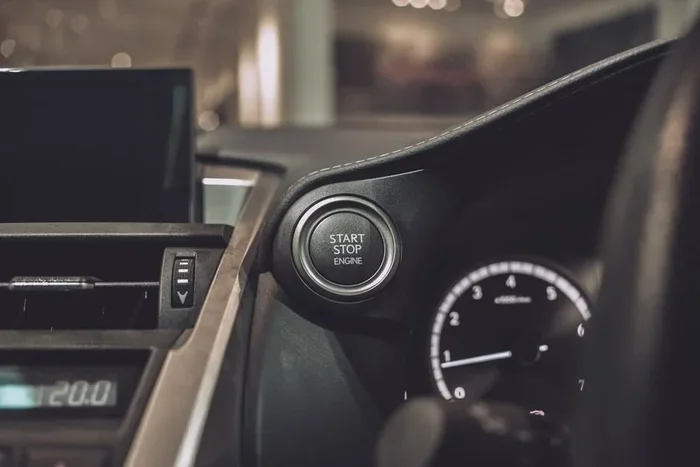
- Turn the ignition to the “ON” position. Do not start the engine. Just press the start button once or turn the key to the “ON” position. The dashboard lights will illuminate.
- Locate the trip meter reset button. This is usually a small button on the dashboard or steering wheel column. On some models, it is labeled “TRIP” or “RESET.”
- Press and hold the trip meter button. Keep holding it for about 10 to 15 seconds.
- Watch the display. The maintenance required light should start to flash.
- Continue holding the button. After a few more seconds, the light will turn off and the trip meter will reset to zero.
- Release the button. Then turn the ignition off and back on to confirm the light is gone.
This Toyota reset procedure works reliably on most older models. The key is holding the button long enough. If you release too early, the light will not reset. Try again and hold for the full 15 seconds.
Reset Method for Newer Toyota Models (Display Screen)
Newer Toyota vehicles from 2014 and later often come with multi-information displays. Models like the 2015 Toyota Camry, 2016 Toyota RAV4, and 2018 Toyota Corolla use this digital approach. The steps are slightly different but equally simple.
Here is how to reset the maintenance required Toyota light on newer models:
- Turn the ignition to the “ON” position. Press the start button without pressing the brake pedal.
- Use the steering wheel controls to navigate to the “Settings” menu. Scroll through the display options until you find “Vehicle Settings” or “Maintenance.”
- Select “Maintenance Reset” or “Reset Maintenance Required.” This option may also be labeled “Odometer” or “Trip A” depending on your model.
- Press and hold the “OK” or “Enter” button. Hold it for about 10 seconds.
- The screen will confirm the reset. The maintenance light should turn off, and the service interval counter will return to the full maintenance schedule.
If you are unsure about the exact menu path, check your Toyota owner’s manual. The Toyota maintenance system instructions are usually found in the section about instrument cluster or display settings.
Toyota Maintenance Light Reset by Model
While the general reset methods work across most Toyota vehicles, some models have slight variations. Here are the most popular Toyota models and their specific reset tips.
Toyota Camry Maintenance Light Reset
The Toyota Camry is one of the most popular sedans on the road. For Camry models from 2007 to 2017, use the trip meter button method described above. For Camry models from 2018 onward, use the touchscreen display method. Camry owners report that the reset usually takes less than 30 seconds once you know the steps.
Toyota Corolla Maintenance Light Reset
The Toyota Corolla follows the same reset pattern. Older Corolla models use the trip meter button. Newer models with the multi-information display use the settings menu. One tip for Corolla owners: make sure your trip meter is set to “Trip A” before starting the reset process. This ensures the correct counter resets.
Toyota RAV4 Maintenance Light Reset
The Toyota RAV4 is a popular SUV, and its reset process is straightforward. For RAV4 models with a digital odometer, the trip meter button method works well. For newer RAV4 models with a touchscreen, navigate to “Settings” then “Maintenance” and follow the on-screen prompts. The RAV4’s larger dashboard can sometimes make the buttons harder to find, so look carefully near the steering column.
Toyota Highlander and Tacoma Reset Tips
Toyota Highlander and Tacoma models also follow the same general reset procedures. For the Highlander, the touchscreen method is most common in newer models. For the Tacoma, especially older pickups, the trip meter button method is the go-to approach. Tacoma owners should note that the reset button is located on the instrument panel, close to the speedometer.
Common Mistakes When Resetting the Maintenance Light
Even though resetting the Toyota service light reset is simple, people make mistakes that cause frustration. Here are the most common errors and how to avoid them.
- Releasing the button too early: The reset requires holding the button for a full 10 to 15 seconds. Letting go after 5 seconds will not work. Be patient and hold it steady.
- Starting the engine during the process: You should only turn the ignition to “ON,” not start the engine. Starting the engine can interrupt the reset sequence.
- Using the wrong button: Some Toyota dashboards have multiple small buttons near the trip meter. Make sure you are pressing the correct one. The wrong button may adjust the clock or radio instead.
- Not turning the ignition off and back on after resetting: After completing the reset, turn the ignition off and then back on. This confirms the light has been cleared.
- Ignoring the light if it returns: If the maintenance required Toyota light comes back shortly after resetting, your vehicle may genuinely need service. Do not just keep resetting it without addressing the underlying need.
Avoiding these mistakes saves time and prevents unnecessary trips to the dealership or auto shop. Most reset issues come down to timing and button accuracy.
Tips to Keep Your Toyota Maintenance System Accurate
Your Toyota maintenance reminder system works best when you keep it properly maintained. Here are some tips to ensure the system stays accurate and reliable.
- Reset the light after every oil change: This keeps the service interval counter in sync with your actual maintenance schedule.
- Use genuine Toyota oil and parts: The maintenance system is calibrated based on Toyota-recommended service intervals. Using aftermarket products may not align with the system’s tracking.
- Check your owner’s manual: Every Toyota model has a specific maintenance schedule. The manual tells you exactly when to service your vehicle and what each dashboard light means.
- Track your mileage: Keep a log of your oil changes and service visits. This gives you a backup reference if the maintenance system ever malfunctions.
- Address the light promptly: Do not ignore the Toyota dashboard lights for extended periods. Staying on top of your service interval keeps your Toyota running at its best.
These small habits make a big difference over the life of your vehicle. A well-maintained Toyota lasts longer, runs better, and holds its value higher.
When to See a Professional
Most of the time, resetting the maintenance required light Toyota is a DIY task. But there are situations where professional help is the right call.
If the light will not turn off after you follow the reset steps correctly, there may be a deeper issue. The Toyota maintenance system could have a sensor fault or a software glitch. In these cases, a certified Toyota mechanic can run a diagnostic scan and clear the code properly.
You should also see a professional if the light comes on repeatedly within a short period. A persistent Toyota dashboard warning may indicate low oil pressure, a sensor malfunction, or another mechanical problem that needs attention. Do not keep resetting the light without investigating the root cause.
Finally, if you are uncomfortable working with your vehicle’s dashboard controls, there is no shame in asking a mechanic or dealership technician to handle the reset. Many service centers will reset the Toyota maintenance required light for free during an oil change or routine visit.
Final Thoughts
Resetting the maintenance required light on Toyota is one of the simplest and most useful skills every Toyota owner should have. It takes just a few minutes, requires no special tools, and saves you a trip to the service center. Whether you drive a Camry, Corolla, RAV4, or any other Toyota model, the process is straightforward once you know the steps.
Remember to hold the reset button long enough, turn the ignition correctly, and confirm the light is off before driving away. Keep your Toyota maintenance schedule on track, and your vehicle will reward you with years of reliable performance. The next time that yellow light pops up, you will know exactly what to do.
Take a moment to bookmark this guide for future reference. Share it with fellow Toyota owners who might need help. And most importantly, stay on top of your vehicle’s maintenance. A little attention today saves big trouble tomorrow.
Frequently Asked Questions
Can I reset the Toyota maintenance light without starting the engine?
Yes, you can. The reset process only requires you to turn the ignition to the “ON” position without starting the engine. This applies to both older models with a trip meter button and newer models with a display screen. Starting the engine during the reset can interrupt the process.
How often does the Toyota maintenance required light come on?
The light typically comes on every 5,000 miles or based on the maintenance schedule programmed into your vehicle. Some newer Toyota models use an oil life monitoring system that adjusts the interval based on driving conditions. Check your owner’s manual for the exact schedule for your specific model.
What should I do if the maintenance light will not turn off after resetting?
If the light persists after a proper reset, try the process again and make sure you are holding the button for the full recommended time. If it still does not turn off, there may be a sensor issue or the vehicle may genuinely need service. In that case, visit a Toyota dealership or certified mechanic for a diagnostic check.
Does resetting the maintenance light also reset the oil life indicator?
Yes, in most Toyota models, resetting the maintenance required light also resets the oil life monitoring system. The oil life percentage will return to 100%, and the service interval counter will restart. This ensures your tracking system stays accurate after each oil change.
Is it safe to drive with the maintenance required light on?
Yes, it is generally safe to drive with the light on. The light is a reminder for scheduled service, not an emergency warning. However, you should not ignore it for too long. Staying current with your oil changes and routine maintenance keeps your Toyota engine healthy and prevents long-term damage.
Can I use an OBD2 scanner to reset the Toyota maintenance light?
Yes, an OBD2 scanner can be used to reset the maintenance required light on many Toyota models. This method is especially useful for newer vehicles where the manual reset process may vary. However, the manual reset methods described in this guide work for most Toyota vehicles and do not require any additional tools.
=== CONCLUSION ===
The Toyota maintenance required light reset is a quick, easy task that every Toyota owner can handle. Whether you use the trip meter button method or the touchscreen menu approach, the steps are simple and take less than a minute. Keep this guide handy for your next Toyota service indicator reset. Stay proactive with your Toyota maintenance schedule, and your vehicle will stay in great shape for years to come.