How to Switch Off Lane Assist in Audi A3 Made Simple
Learning how to switch off lane assist in Audi A3 is easier than you think. Whether you find the warnings annoying or just want more control, our guide shows you the exact steps. We also cover safety tips and model-specific settings so you can customize your Audi A3 the way you like.
Key Takeaways
- Multiple methods exist: You can turn off lane assist through the MMI system, steering wheel buttons, or vehicle settings menu.
- Model differences matter: Different Audi A3 model years and trims may have slightly different steps to disable lane assist.
- Safety first: Always understand when it is safe to disable lane assist and avoid turning it off in heavy traffic.
- Temporary vs permanent: You can temporarily cancel lane assist for one drive or permanently disable it through the settings menu.
- MMI is your hub: The Audi MMI infotainment system is the main control center for all driver assistance settings.
- Reset is easy: You can always re-enable lane assist by reversing the steps or resetting factory settings.
📑 Table of Contents
- How to Switch Off Lane Assist in Audi A3 Made Simple
- What Is Lane Assist in the Audi A3?
- How to Switch Off Lane Assist in Audi A3: Step-by-Step
- Audi A3 Model Year Differences
- Common Problems When Turning Off Lane Assist
- When Should You Keep Lane Assist On?
- Quick Tips for Managing Audi A3 Driver Assistance Features
- Frequently Asked Questions
- Conclusion
How to Switch Off Lane Assist in Audi A3 Made Simple
The lane assist feature in the Audi A3 is designed to help you stay in your lane. It uses a small camera near the rearview mirror to track lane markings. When the car drifts, it gently steers you back. It is a great driver assistance feature. But sometimes, you just want it off. Maybe the warnings beep too much. Maybe you are on a winding road and the system gets confused. Whatever the reason, learning how to switch off lane assist in Audi A3 is simple once you know where to look.
This guide walks you through every step. We cover different Audi A3 models, common problems, and smart safety tips. By the end, you will feel totally confident managing your Audi A3 settings. Let us get into it.
What Is Lane Assist in the Audi A3?
Before we show you how to turn it off, let us quickly explain what lane assist does. The system uses a forward-facing camera to detect lane lines on the road. When your Audi A3 starts to drift out of its lane without signaling, the system steps in. It gives you a visual warning on the dashboard. It may also buzz the steering wheel. In some models, it even applies a gentle corrective steer to guide you back.
This is part of Audi’s broader driving assistance system. It works alongside other features like adaptive cruise control and lane centering. Together, these features aim to reduce driver fatigue on long trips. They also add a layer of safety during daily commutes.
Why Does Lane Assist Matter?
Lane departure warnings exist for a good reason. Studies show that lane departures cause many serious accidents. The lane assist warning system helps prevent those. It keeps you alert and aware. On highways or open roads, it is genuinely helpful. The system monitors your driving behavior and intervenes when needed. Think of it as a co-pilot that watches the road markings so you do not have to.
But no system is perfect. Road markings that are faded or missing can confuse it. Sharp curves sometimes trigger false alerts. Heavy rain or snow can block the camera. That is when you might want to disable lane assist temporarily. And that is completely fine. Knowing how to manage your car settings is part of being a smart driver.
How to Switch Off Lane Assist in Audi A3: Step-by-Step
Now for the main event. Here is exactly how to turn off lane assist in your Audi A3. The steps vary slightly depending on your model year and the type of MMI system your car has. We cover the most common methods below.
Method 1: Using the MMI Infotainment System
The Audi MMI (Multi Media Interface) is your car’s central control hub. This is where most Audi A3 customization happens. Here is how to navigate to the lane assist settings:
- Start your car and let the MMI system fully boot up.
- Press the “CAR” button on the MMI screen or the physical button near the gear shift.
- Look for “Settings” or the gear icon on the screen. Tap it.
- Scroll down to “Assistance” or “Driver Assistance Systems.”
- Find “Lane Assist” or “Lane Departure Warning” in the list.
- Toggle the switch to “Off.”
- Confirm the change if prompted.
That is it. The system should stop warning you right away. Some models may ask you to confirm that you understand the safety implications. Read the message carefully and tap “Yes” or “Confirm” to proceed.
Method 2: Using Steering Wheel Buttons
Some Audi A3 models let you toggle lane assist directly from the steering wheel. This is the fastest method. Here is how:
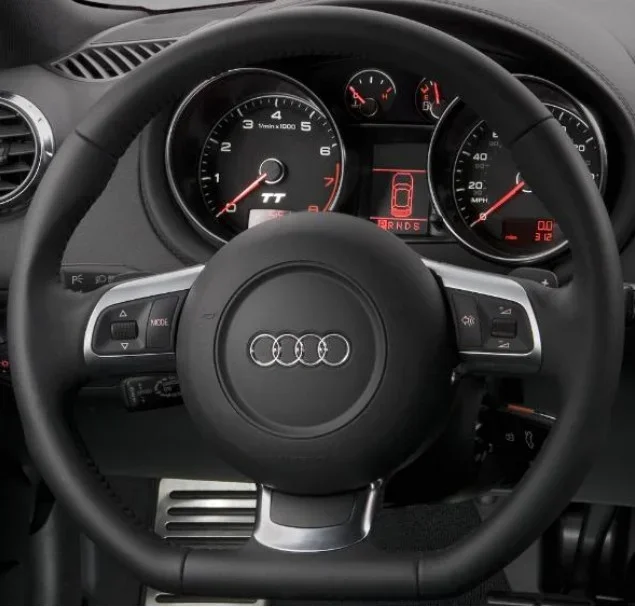
- Look for the “ASSIST” or “CAR” button on your left steering wheel panel.
- Press it briefly. The dashboard display will show your active driver assistance features.
- Use the scroll wheel or arrow buttons to highlight “Lane Assist.”
- Press the checkmark or OK button to toggle it off.
- The lane assist icon on your dashboard should disappear or change color.
This method is great for quick adjustments while driving. You do not need to dig through menus. Just one or two presses and you are done. However, not every Audi A3 trim level has this option. If your steering wheel does not have an “ASSIST” button, use the MMI method instead.
Method 3: Through the Vehicle Settings Menu (Older Models)
If you have an older Audi A3 model (around 2014-2018), the settings menu may look a bit different. The path is usually:
- Press the “SETUP” button on the MMI.
- Select “Car Settings.”
- Choose “Assist Systems.”
- Find “Lane Assist” and switch it off.
The wording may vary slightly. Some older models call it “Lane Keeping Assist” or “LDW” (Lane Departure Warning). Keep an eye out for those terms. If you are unsure, consult your owner’s manual. It will have the exact menu path for your specific model.
Audi A3 Model Year Differences
Not all Audi A3 models are the same. The way you access and disable lane assist can depend on your model year, trim, and whether you have the optional technology package. Here is a quick breakdown:
Audi A3 8V (2014-2020)
The 8V generation uses the older MMI system. Lane assist settings are usually found under “Car Settings” then “Assist Systems.” The steering wheel button method may or may not be available depending on your trim. Higher trims like Premium Plus and Prestige are more likely to have the steering wheel controls.
Audi A3 8P (2021 and Beyond)
The newer 8P models use the updated MMI with a more touchscreen-focused interface. The path is generally through “CAR” then “Settings” then “Assistance.” These models also have more advanced lane centering features. You may see options for “Lane Departure Warning” and “Lane Centering” as separate toggles. You can disable one without affecting the other.
S Line and Sport Trim Differences
Some sport trims come with different steering wheel layouts. The “ASSIST” button might be placed in a slightly different spot. If you cannot find it, check the left side of the steering wheel behind the wheel spokes. The button functions are the same across trims. Only the placement changes.
| Model | Primary Method | Steering Wheel Control |
|---|---|---|
| A3 8V (2014-2020) | MMI Car Settings | Varies by trim |
| A3 8P (2021+) | MMI Touchscreen | Usually available |
| A3 Sportback | MMI Car Settings | Depends on options |
| A3 Cabriolet | MMI Car Settings | Usually available |
Common Problems When Turning Off Lane Assist
Sometimes things do not go as smoothly as they should. Here are a few common issues drivers face when trying to turn off lane assist in their Audi A3:p>
Setting Does Not Save
This is a frequent complaint. You turn off lane assist, but it comes back the next time you start the car. This usually happens because the setting was not saved properly. Make sure you confirm the change when prompted. Some models also need you to power off the ignition completely and restart to apply changes.
Try this: go back into the settings menu and double-check that the toggle is still in the “Off” position. If it keeps switching back on, try a full Audi A3 settings reset. Go to “Factory Reset” in the MMI settings. Be careful, though. This resets all your personalized settings, not just lane assist.
Dashboard Icon Does Not Disappear
You turned lane assist off, but the icon still shows on your dashboard. This can be confusing. Often, the icon simply shows that the system is available, not that it is active. A grayed-out or dimmed icon usually means the feature is off. A bright or colored icon means it is active and monitoring your driving.
If the icon stays lit and colored after you turned it off, restart the MMI system. Hold the volume knob or the reset button (often a small pinhole near the screen) for about five seconds. The screen will go dark and reboot. Check your settings again after it restarts.
Lane Assist Keeps Activating Despite Being Turned Off
This is a more frustrating problem. If your lane assist warning keeps coming back after you disabled it, there may be a software glitch. Try updating your MMI software. Audi occasionally releases updates that fix bugs with driver assistance features. You can check for updates at a dealership or sometimes through the MMI system itself under “Software Updates.”
Also, check your speed setting. Some Audi A3 models only activate lane assist above a certain speed, like 40 mph. If you disabled it at a lower speed, the system might re-engage once you speed up. Adjust the settings accordingly or disable it through the steering wheel button while driving.
When Should You Keep Lane Assist On?
Knowing when to disable lane assist is just as important as knowing how. There are situations where this feature is genuinely helpful. Keeping it on can save lives. Here are some scenarios where you should probably leave it enabled:
- Long highway drives: Lane assist reduces fatigue on boring stretches of freeway. It helps you stay centered in your lane without constant micro-corrections.
- Heavy traffic: In stop-and-go traffic, small lane changes happen frequently. Lane assist helps you make smooth, safe moves.
- Night driving: Fatigue tends to increase at night. Lane assist adds an extra layer of alertness when your energy is low.
- Unfamiliar roads: On roads you do not know well, lane markings can be unclear. The system helps compensate for that uncertainty.
On the other hand, there are times when turning it off makes total sense. You might disable it on winding roads where the system gets confused by constant curve changes. You might also turn it off if you are intentionally lane-splitting or navigating through construction zones with shifted lanes. Just remember to turn it back on when conditions improve.
Expert Insight: Balance Safety and Control
“Driver assistance features are meant to support you, not replace you,” says a certified Audi technician. “The best drivers know when to use these tools and when to take full control. If you find yourself constantly fighting your car’s systems, it might be time to adjust your settings or simply take a break.”
This is solid advice. Your car should feel like an extension of you. If lane assist is creating more stress than comfort, it is perfectly reasonable to turn it off. Just stay aware of the situations where it could help. Flexibility is key to smart driving.
Quick Tips for Managing Audi A3 Driver Assistance Features
Once you know how to switch off lane assist in Audi A3, you might want to explore other settings too. Here are some handy tips for managing your car’s technology:
- Explore all assistance settings: Spend some time in the MMI menu clicking through every option. You might find features you never knew existed, like adaptive steering or intersection assist.
- Adjust sensitivity levels: Some Audi A3 models let you change how sensitive lane assist is. Instead of turning it off completely, you can reduce the warning frequency. This might be the perfect middle ground.
- Use steering wheel button shortcuts: Learn what each button on your steering wheel does. This saves time and keeps your eyes on the road.
- Keep your camera clean: The lane assist camera sits near the rearview mirror. Dirt, snow, or even a sticker can block it. A clean camera means fewer false alerts.
- Update your software: Regular software updates improve how your driving assistance system works. They fix bugs and sometimes even add new features.
How to Reset Your Audi A3 Settings
If you want a fresh start, you can reset your Audi A3 customization settings. Here is how:
- Go to the MMI “Settings” menu.
- Scroll to “System” or “Car Setup.”
- Select “Factory Reset” or “Reset All Settings.”
- Confirm the reset when prompted.
- Your car will restart with all default settings restored.
This is useful if your settings keep acting weird or if you bought a used car and want to start fresh. Just remember that you will lose all your personal preferences like radio presets, seat positions, and climate settings. Back up anything important before you reset.
Frequently Asked Questions
Can I permanently disable lane assist in Audi A3?
Yes, you can. Through the MMI settings menu, you can toggle lane assist off. The setting should stay off until you manually turn it back on. If it keeps reactivating, try a factory reset or visit an Audi dealership to check for software issues.
Does turning off lane assist affect my insurance?
Generally, no. Insurance companies care about safe driving, not which features you have turned on or off. However, every insurer is different. It is always a good idea to check with your provider if you are unsure. They usually do not ask about specific driver assistance settings.
How do I turn lane assist back on after disabling it?
Simply follow the same steps you used to turn it off. Go to the MMI “Car Settings” menu, find “Assistance,” and toggle “Lane Assist” back to “On.” If you used the steering wheel button, press it again to reactivate the feature. The dashboard icon should light up to show it is active.
Why does lane assist keep turning itself on in my Audi A3?
This can happen for a few reasons. Your speed might be above the activation threshold, which is usually around 40 mph. A software glitch could also cause it. Try updating your MMI software or performing a factory reset. If the problem persists, take your car to an Audi service center for a diagnostic check.
Is it safe to drive without lane assist?
Yes, it is safe as long as you stay focused and alert. Lane assist is a helpful tool, but it is not a replacement for attentive driving. Millions of people drive without this feature every day. Just make sure you are comfortable managing lane positioning on your own, especially on long drives where fatigue can set in.
Can I adjust lane assist instead of turning it off completely?
Yes, some Audi A3 models offer sensitivity adjustments. Instead of a full on-off toggle, you can set the system to warn you less frequently. This is a great compromise if you like the safety benefit but find the constant beeping annoying. Check your MMI settings under “Assistance” for a “Sensitivity” or “Warning Frequency” option.
Conclusion
Learning how to switch off lane assist in Audi A3 gives you more control over your driving experience. Whether you use the MMI menu, steering wheel buttons, or a combination of both, the process is straightforward. You do not need a mechanic or a dealership visit. A few taps and clicks, and your Audi A3 settings are customized the way you want them.
Remember to stay safe. Lane assist exists to protect you, and there are plenty of situations where it truly helps. Use your judgment about when to turn it off and when to leave it on. With the knowledge in this guide, you are ready to manage your driver assistance features like a pro. Take some time to explore your car’s settings, experiment with sensitivity options, and enjoy a more personalized driving experience in your Audi A3.
Now go ahead, take the wheel, and make your car truly yours. You have got this.